

Introduction
The camera lucida app has transformed the way artists, students, hobbyists, and designers create drawings. Instead of relying solely on traditional drawing methods, these apps use your smartphone or tablet camera to project a reference image onto your screen, making it easier to trace, sketch, and improve artistic accuracy. Whether you are learning to draw for the first time or refining your professional illustration skills, a camera lucida app can become an invaluable creative companion.
Unlike old optical camera lucida devices that required mirrors and prisms, modern mobile applications use advanced camera technology, image overlays, adjustable transparency, and digital controls. This allows users to trace photographs, create portraits, sketch landscapes, and even practice architectural drawings with greater precision.
As digital art continues to grow in popularity, camera lucida apps have become essential tools for artists who want convenience without sacrificing creativity. This guide explores everything you need to know about camera lucida apps, including how they work, their benefits, features, practical uses, and tips for getting the best results.
What Is a Camera Lucida App?
A camera lucida app is a mobile application that helps users draw by displaying a semi-transparent reference image over a live camera view. Instead of printing reference photos or using traditional tracing methods, the app allows artists to view both the drawing surface and the reference image simultaneously.
The original camera lucida was an optical instrument invented in the early nineteenth century. Artists used mirrors or prisms to project scenes onto paper so they could draw with greater accuracy. Modern apps replicate this concept using digital technology, making the process much easier and more accessible.
These applications are available for both Android and iOS devices. Many include adjustable opacity controls, image scaling, rotation, brightness settings, and lock-screen options that prevent accidental movement while drawing.
Whether creating realistic portraits, cartoon characters, landscapes, logos, or tattoo designs, a camera lucida app simplifies the sketching process while still allowing the artist to develop their own style.
How Does a Camera Lucida App Work?
A camera lucida app combines your device’s camera with a selected reference image. After opening the application, you import a photograph or artwork you want to draw. The app then overlays that image onto the camera preview.
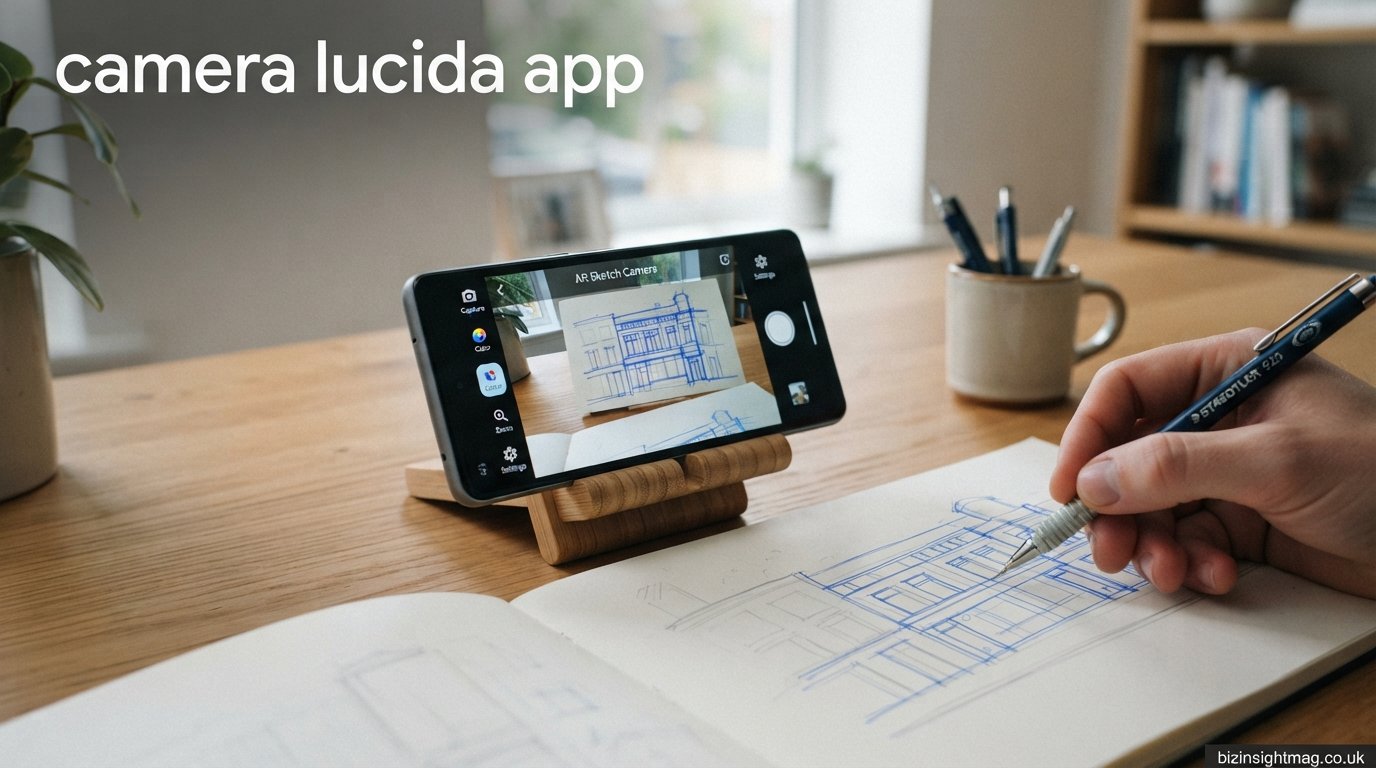
When you place your phone above your drawing paper using a tripod or phone holder, you can see both the paper and the transparent reference image at the same time. As you draw, you simply follow the visible outlines while observing your pencil on the paper.
Most applications provide controls that allow users to:
- Adjust image transparency
- Zoom in and out
- Rotate the reference image
- Flip images horizontally
- Lock the image position
- Control screen brightness
- Freeze the camera if needed
This process makes proportions much easier to understand while still requiring users to develop hand control and drawing techniques.
Why Artists Use Camera Lucida Apps
Many artists appreciate camera lucida apps because they save time without replacing artistic skill. Beginners often struggle with proportions, facial symmetry, perspective, and object placement. A camera lucida app helps overcome these early challenges.
Professional artists also benefit because they can create accurate outlines much faster before adding detailed shading, textures, and colors.
These applications are especially useful for:
- Portrait artists
- Tattoo designers
- Fashion illustrators
- Architecture students
- Interior designers
- Art teachers
- Hobby artists
- Children’s drawing activities
Rather than spending hours correcting proportions, artists can focus more on creativity, lighting, composition, and finishing techniques.
Main Features of a Camera Lucida App
Different apps offer different tools, but most include several essential features that improve the drawing experience.
Image Overlay
The overlay function displays the selected image with adjustable transparency so users can clearly see both the reference and their drawing paper.
Adjustable Opacity
Opacity controls allow artists to make the reference image lighter or darker depending on the lighting conditions.
Zoom Controls
Users can enlarge small details such as eyes, flowers, or architectural features without losing image quality.
Rotation
Rotation tools make it easier to match the orientation of the paper and reference image.
Grid Support
Some camera lucida apps include optional drawing grids that help improve proportion accuracy.
Brightness Adjustment
Screen brightness controls improve visibility while preventing glare.
Image Lock
Once the image is positioned correctly, locking it prevents accidental movement during drawing.
Import from Gallery
Users can upload personal photos, downloaded images, or digital artwork directly from their device gallery.
Benefits of Using a Camera Lucida App
One of the biggest advantages is improved drawing accuracy. Even experienced artists occasionally struggle with proportions, especially when drawing faces or complex objects. The app provides a visual guide that helps maintain consistency.
Another benefit is faster sketch creation. Instead of repeatedly measuring distances between features, artists can establish an accurate outline in minutes.
Learning also becomes easier. Beginners gain confidence because they can focus on pencil control rather than worrying about basic proportions.
Camera lucida apps are highly portable. Traditional optical camera lucida devices can be expensive and difficult to transport, while a smartphone app fits into your pocket.
These apps also encourage experimentation. Artists can practice drawing wildlife, buildings, people, vehicles, and fantasy characters using photographs as references.
Teachers often use these applications during art classes because students can quickly understand shape relationships while practicing essential drawing techniques.
Best Uses for a Camera Lucida App
Camera lucida apps support many creative activities beyond simple tracing.
Portrait drawing is perhaps the most common application. Artists can accurately position facial features before adding shading and details.
Landscape artists use the apps to establish mountain outlines, trees, rivers, and buildings before painting.
Tattoo artists frequently prepare client designs using digital references.
Architectural sketching becomes easier when maintaining perspective lines and building proportions.
Fashion designers create clothing illustrations with improved body proportions.
Students studying biology often use camera lucida apps to draw plants, insects, and anatomical diagrams more accurately.
Craft enthusiasts also trace patterns for wood burning, embroidery, glass painting, and decorative projects.
Camera Lucida App for Beginners
Beginners often worry that using a camera lucida app is considered cheating. In reality, many professional artists use reference tools throughout their careers. The app simply helps establish accurate proportions while leaving shading, coloring, textures, and artistic interpretation entirely in the artist’s hands.
For someone learning to draw, the app reduces frustration. Instead of becoming discouraged by incorrect proportions, beginners can concentrate on improving line quality, pressure control, and observation skills.
With regular practice, many users gradually rely less on tracing and more on freehand drawing because their understanding of shapes improves over time.
Choosing the Right Camera Lucida App
Not every app offers the same experience. When selecting one, users should consider several factors.
Compatibility is important. Ensure the app supports your Android or iPhone version.
A clean interface makes learning easier, especially for beginners.
Look for adjustable transparency, image lock, zoom controls, and rotation features.
Some applications include advertisements in their free versions, while premium versions provide additional tools and a smoother experience.
Reading recent user reviews can help identify reliable apps with stable performance and regular updates.
Tips for Better Results
Good lighting significantly improves visibility while drawing. Natural daylight often provides the best conditions, though adjustable LED desk lamps also work well.
Using a sturdy phone holder prevents movement during tracing. Even slight shifts can affect accuracy.
Secure your paper with masking tape so it remains in the same position throughout the drawing session.
Begin with light pencil strokes before adding darker outlines. This makes corrections much easier.
Rather than tracing every tiny detail immediately, first establish the major shapes and proportions before refining smaller elements.
Practice regularly. Even with digital assistance, consistent drawing develops confidence, muscle memory, and artistic skill.
Common Mistakes to Avoid
Many beginners press too hard with their pencils during the first outline. Light sketches allow easy corrections.
Another mistake is relying entirely on tracing without studying the subject. Observe the shapes, angles, and proportions carefully while drawing.
Poor lighting often reduces visibility of both the paper and reference image.
Using unstable phone supports can shift the image unexpectedly, creating inaccurate sketches.
Finally, avoid skipping practice. A camera lucida app is a learning tool, not a replacement for artistic development.
Free vs Paid Camera Lucida Apps
Free versions are ideal for beginners who want to explore digital tracing without spending money. They usually provide basic overlay features, camera access, and image imports.
Premium versions often remove advertisements while adding advanced controls such as higher-resolution image support, additional editing tools, custom grids, enhanced image stability, and better export options.
Artists who draw frequently may find that paid versions improve productivity, while occasional users can often accomplish their goals using free alternatives.
Frequently Asked Questions
Is a camera lucida app good for beginners?
Yes. It helps beginners understand proportions, composition, and drawing accuracy while building confidence.
Does using a camera lucida app improve drawing skills?
Yes. Regular practice improves observation, hand coordination, and understanding of shapes, even when using digital assistance.
Can professionals use camera lucida apps?
Absolutely. Many professional illustrators, tattoo artists, and designers use reference tools to speed up their workflow while maintaining artistic quality.
Do I need special equipment?
Most users only need a smartphone or tablet, a stable phone holder or tripod, paper, pencils, and good lighting.
Is tracing considered cheating?
No. Throughout history, artists have used various tools to improve accuracy. What matters is how you develop your creative abilities and artistic techniques.
Conclusion
A camera lucida app is a powerful digital drawing tool that combines modern smartphone technology with a classic artistic concept. By overlaying reference images onto a live camera view, these apps help artists create accurate sketches, improve proportions, and save valuable time during the creative process.
Whether you are a beginner learning the basics of drawing or a professional seeking a more efficient workflow, a camera lucida app offers practical advantages without limiting creativity. From portraits and landscapes to architecture, fashion, tattoos, and educational illustrations, the possibilities are extensive.
The best approach is to use the app as a learning aid rather than a shortcut. Practice regularly, observe your subjects carefully, and continue developing your own artistic style. Over time, you’ll gain confidence, improve your drawing skills, and discover that a camera lucida app is more than just a tracing tool—it’s a valuable companion for creative growth.
